
The TRAINING page allows you to keep a record of the date and location
that a representative attends a training session.
Click the TRAINING tab of a Location Profile to display a list of all training sessions attended.
To add a new training session:
 |
All training sessions that have been added to the Training Schedule in the Setup menu appear in the droplist. |
To edit a training session:
To delete a training session:
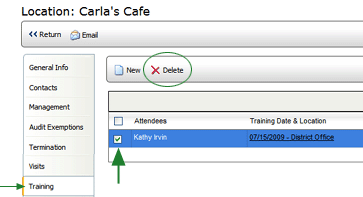
The session is removed from the list.
