Export the Training List

To export the training list:
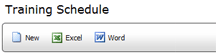
- Click the EXCEL or WORD button at the top of the Training Schedule
list.
- In the File Download dialog, click SAVE to save the exported list
in Excel or Word format.
- Select the location where you want to save the exported file, then
click SAVE.
The file is exported and save to the specified location.
 |
Only users with the GRID - EXPORT TO MICROSOFT
WORD or the GRID - EXPORT TO MICROSOFT EXCEL permissions can export
this data. |
