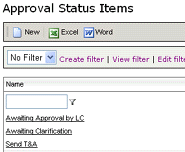
Approval Status List
GO TO: Administration | Audit | Approval Status List
NOTE: Only users assigned to the role of LC - SYSTEM ADMINISTRATOR have access to the Approval Status List.
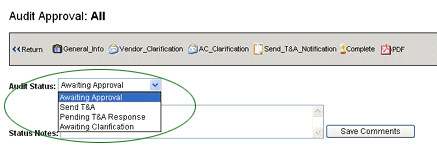
This menu option allows you to edit the list of approval status options that
appear in the
AUDIT STATUS list in audit results.
To edit the entries that appear in the droplist:
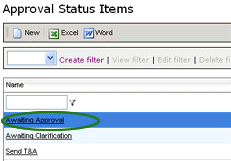
- Go go Administration | Audit | Approval Status List.
- Select the option that you want to change.
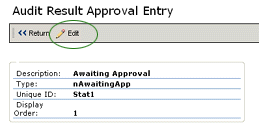
- Click the EDIT button.
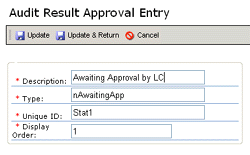
- Change the label in the DESCRIPTION field. (NOTE: Do not change the
values in the TYPE or UNIQUE ID fields; otherwise, errors may occur.)
- Click the UPDATE & RETURN button.
The list is updated with the changes.